

Is your website struggling to attract visitors or achieve its goals? There could be several reasons behind this, such as slow loading speed, low-quality content, and technical issues.
It does not matter how much effort you put into building a website; it may struggle to deliver the required results if it isn’t optimized from an SEO perspective. To improve its performance, you need to identify areas that need your attention and take practical steps to address them.
In this guide, we’ll explain practical ways to improve your website’s performance. So, keep reading.
Practical Approach for Enhancing Your Website’s SEO Performance
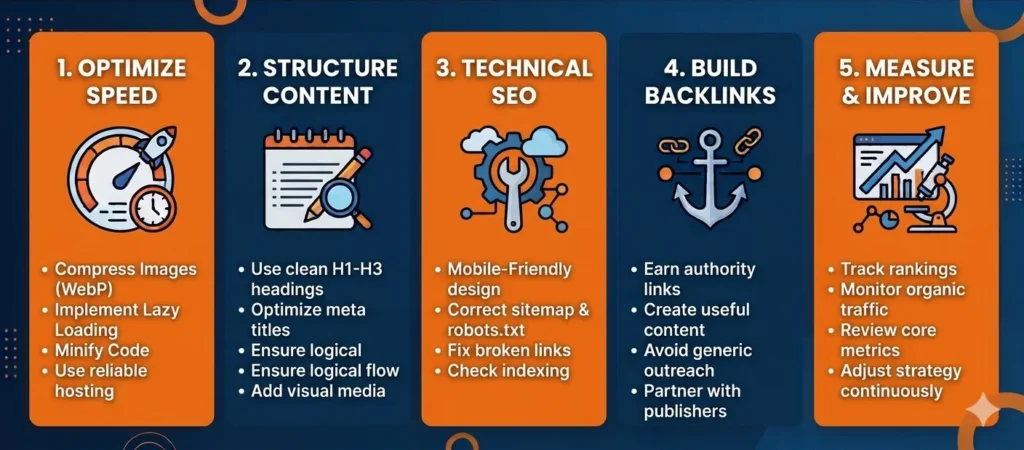
Below, we have discussed the approach that you can follow to elevate the performance of your website for both users and search engines.
1. Work on Improving Website Loading
Website loading speed is a confirmed Google ranking factor. This means search engines use it to evaluate the site quality and the user experience.
If your website is taking too much time to load, potential visitors may leave it and turn to another source to find the required information. This may indicate a poor user experience and negatively affect your website’s SERP visibility.
That’s why improving loading speed should be your top priority when enhancing website performance. On the internet, there is a wide variety of tools available, such as GTmetrix, that help evaluate the loading speed of any website.
After that, you can take the following steps:
- Compress images and switch to modern image formats such as WebP or AVIF
- Implement lazy loading
- Minify HTML, CSS, and JavaScript code
- Enable browser caching
- Get hosting services from a reliable service provider
After doing all this, reassess the loading speed to determine whether it has improved. Tools like Google PageSpeed Insights can highlight elements that are impacting your website’s loading speed, making the improvement process a lot easier.
2. Optimize Content for SEO
No matter how unique, valuable, or informative your content is, if it isn’t optimized for SEO, it may struggle to drive organic traffic. That’s why it is considered an important strategy to optimize content according to the needs of both the audience and search engines.
To do so, you need to address several things, which we have briefly mentioned below.
- Incorporate relevant keywords that align with your audience’s search intent. Make sure they look natural and contextually appropriate. However, avoid overuse, as this may be considered “Keyword stuffing.”
- Also add primary keywords to page titles, headings, and meta descriptions.
- Focus on making content readable, unique, and fluent by using simple wording and sentence structure.
- Use a clear heading structure: H1 for the page’s main heading or title, H2 for major sections, and H3 for subsections where needed.
- Add high-quality images, infographics, charts, and tables.
- Use bullet points and numbered lists where appropriate to make information easier for readers to scan and understand.
- Insert relevant and credible internal and external links into the content.
- Proofread the content to check its accuracy, clarity, and grammar before publishing.
By doing all these things, you can significantly improve the chances of your website dominating the SERPs on the basis of content quality and optimization.
Optimize Your Content for SEO
Want your content to rank higher and attract the right audience? Get expert guidance to optimize your content for search intent, improve readability, and grow organic traffic.
3. Strengthen Technical SEO
A technically sound website makes it easier for search engines like Google to discover, crawl, and index its pages for better visibility. Even if your site hosts valuable and fully optimized content, technical faults can significantly hinder page crawlability and overall ranking.
So, it is essential for you to work on strengthening technical SEO. Here are the steps that can be followed in this regard.
- First, check whether all the important pages are indexed and accessible.
- Make sure the XML sitemap is accurate.
- Review the robots.txt file to make sure it does not unintentionally block search engines from crawling important pages.
- Ensure that all elements such as buttons and forms are fully functional and deliver a smooth browsing experience.
- Also, look for broken links, redirect errors, duplicate URLs, and technical issues. Fix them before they affect your website’s accessibility.
One of the most important considerations is to make sure your site is mobile-friendly. It should display properly on different screen sizes. A fully responsive design allows visitors to seamlessly interact with your site regardless of the device they use.
4. Build High-Quality Backlinks
Backlinks can help search engines understand how pages relate to one another and can contribute to search rankings. However, their value depends on factors such as relevance, context, and how the links were acquired.
However, not all backlinks are equally beneficial and pass the same SEO value. That’s why you should focus on building links from niche-relevant, credible, and authoritative sources.
There are several steps you can take to build quality links.
Create quality content:
You should focus on creating and publishing original, valuable, and informative content on your website. This way, other publishers covering the same topic may reference your page as a reliable source, resulting in a backlink.
Guest posting:
You can also reach out to credible sites with a high domain authority score in your target industry to contribute guest articles. Choose topics that are relevant to both your expertise and the host website’s audience. Create useful, original content, and include a link to your website only when it genuinely helps readers. Avoid guest posts created primarily to build backlinks.
Building Relationships with Publishers:
Building good relationships with publishers and researchers can help you earn links. These professionals often look for valuable insights and information to support claims in their research. You can share original research, useful data, or expert insights with publishers and researchers who cover your topic. If your material supports their work, they may choose to reference it and link to your website.
5. Review and Improve
Improving your website’s performance is not a one-time task; instead, it is an ongoing process. This is because search intent changes, competitors publish new content, and technical issues can develop at any time.
Therefore, it is important to regularly review your website’s performance to make sure everything is working properly. Here are the key indicators you need to look for:
- Organic traffic
- Keyword rankings
- Core Web Vitals
- Page-loading performance
- Indexing issues
- Impressions
- Click-through rate (CTR)
Keeping a close eye on these performance indicators can help you determine whether the performance is improving or declining and adjust your strategy accordingly.
Reliable Tools That You Can Consider Using
Below, we have a few notable tools that can help you improve your website’s overall performance.
1. PageSpeed Insights
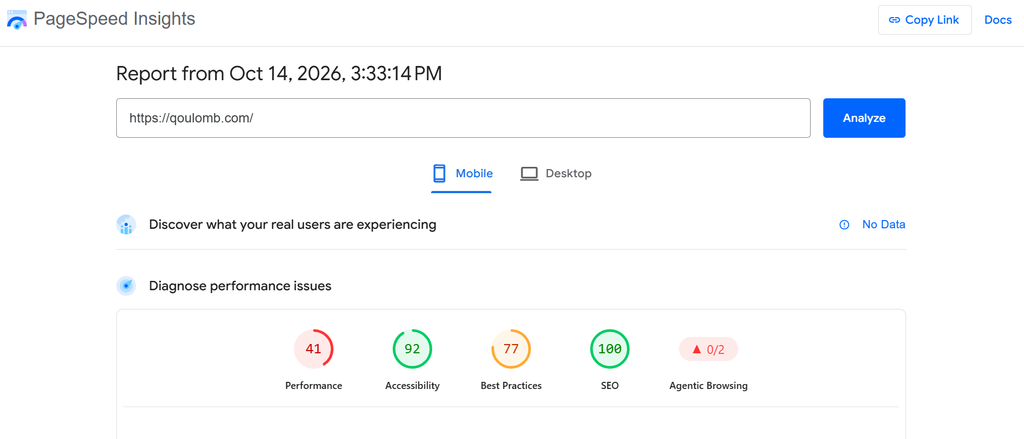
PageSpeed Insights is a popular tool that helps webmasters to evaluate the loading speed of their website and the overall performance of its pages on both mobile and desktop devices. It is available for free and very simple to use.
All you need to do is simply enter the site URL, and the tool will start evaluating its performance. Once done, it will provide a detailed report by mentioning scores for performance, accessibility, best practices, and SEO on a scale of 100.
PageSpeed Insights also highlights all the identified issues in red along with a brief note about how you can fix them.
2. Prepostseo
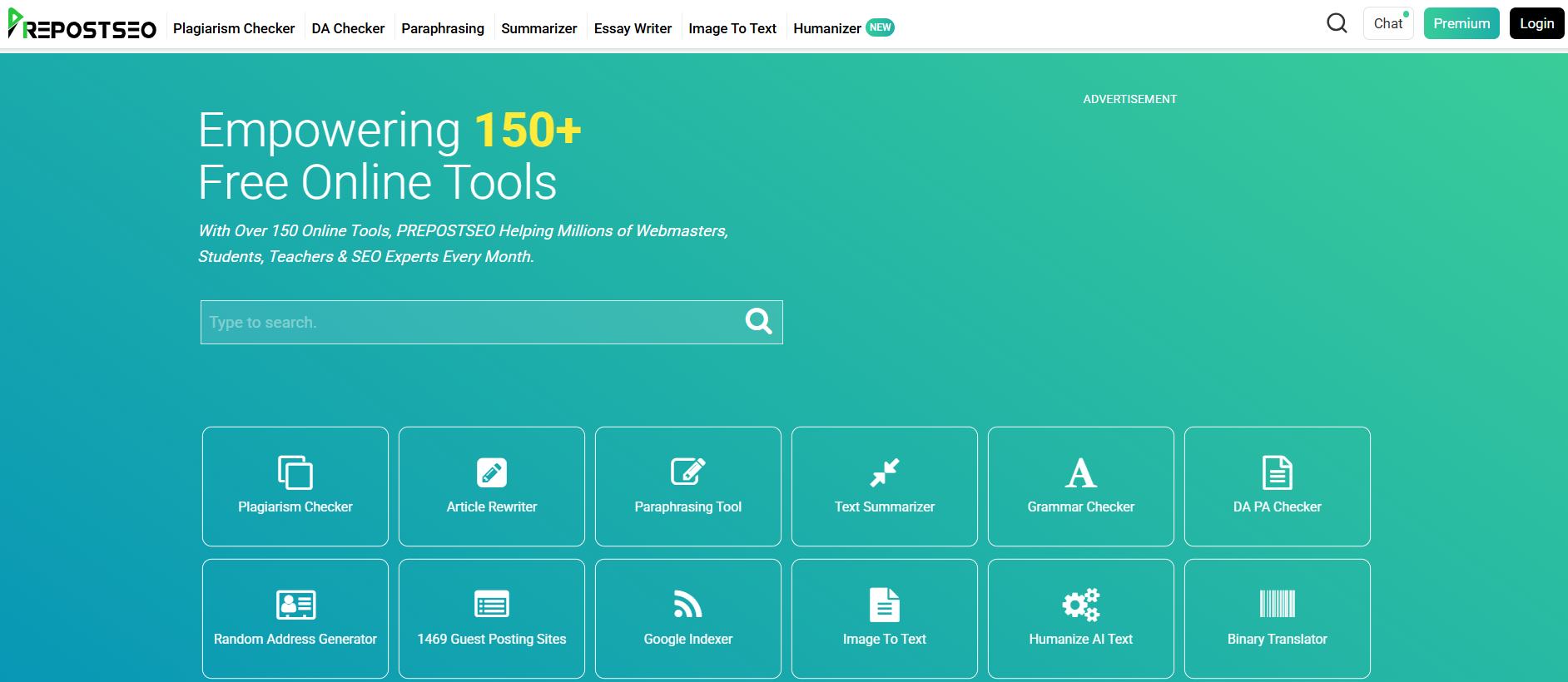
Prepostseo is a platform that offers a wide range of SEO and content optimization tools. From checking the DA and DP of a website to optimizing the content for better search rankings, it brings together over 150+ free tools.
Here’re some of its main tools:
- Plagiarism Checker – Scans content to ensure originality.
- Paraphrasing Tool – Rephrases text for better clarity and uniqueness.
- Grammar Checker – Fixes spelling and grammar errors.
- Domain Authority Checker – Measures a website’s DA and PA.
- Keyword Density Checker – Shows how often keywords appear in the text.
- And more.
The good thing is that all tools offer free access, require no sign-up, and support working in multiple languages.
3. Ahrefs

Ahrefs is one of the most popular tools that you can use to strengthen the technical SEO of your website. It helps you perform an in-depth site audit to identify several technical issues such as broken links, missing title tags, meta descriptions, duplicate content, and slow-loading pages.
Moreover, it is also capable of checking how search engines like Google crawl your website and its pages by identifying:
- Issues with the robots.txt file
- Noindex tags
- Canonical tags
- HTTP status codes
Ahrefs Site Audit can help identify technical SEO issues, including broken links, indexing directives, canonicalization problems, and HTTP status errors.
4. Google Search Console
Last but not least, Google Search Console is a free analytical tool that helps webmasters monitor their website’s performance. The tool provides reports on how Google discovers and indexes pages, along with historical data about their performance in search results.
For this, it allows you to inspect individual URLs to determine their indexing status and identify potential crawling or indexing issues. Additionally, you can use it to monitor impressions, number of clicks, keyword rankings, and average search positions.
Another useful feature of Google Search Console is its reporting for sitemap submissions and Core Web Vitals. This makes it easier for you to identify areas where improvement is required.
Build a stronger organic growth engine
Turn search visibility into qualified B2B traffic and pipeline with a strategy built around your business goals.
Book a CallQoulomb helped us show up in AI search answers, not just Google. They spotted early that our landing pages were the problem and fixed them with us.

Jose Russo Pons
Head of Growth Marketing, GAIN
Bottom Line
Enhancing your website’s performance is an ongoing process and requires you to take care of several things. You need to increase loading speed, optimize content, strengthen technical SEO, and keep building high-quality backlinks. In this blog post, we have explained all these ways in complete detail. Along with that, we have also discussed some advanced tools that you can consider using in this regard.