


Getting the website designed, then developed is a long process. After all those changes, tests, and checking it for perfection, you are in the stage of launch.
But even after ticking every box, there are still some areas that get missed. Your one of the clients or friends reminds you about it.
The website is just like your brand outfit. You don’t want it to spoil the launch party. Therefore, having a website launch checklist keeps your developer in check of everything.
- TL;DR
- Unoptimized website launches lose credibility and organic traffic due to missed SEO, design, and security errors.
- Comprehensive launch checklists prevent these failures by strictly auditing UI/UX, engaging web copy, technical SEO, and security.
- Post-launch analytics tools and rigorous final testing guarantee long-term performance, traffic retention, and continuous site optimization.
The Cost of an Unoptimized Launch
Map the Audit to Core Areas
According to the Search Engine Journal, there are more than 90% of websites poorly optimized for SEO, Design, and Content. Knowing that more than 57% of organic traffic comes from Google searches, these websites are missing one crucial source of leads
With just basic optimization, you can ensure that Google never ignores you when your customers are finding your business. At such times, a checklist for a website launch works like a miracle. Even professionals having experience of more than a decade have such a list beside them.
A website is no longer just a digital brochure; it is the complete experience you deliver to your visitors. Skipping a rigorous pre-launch audit compromises the foundation of trust that every customer relationship relies on.

Founder Sourabh Yadav
aka Marketing Maniac
Design, develop, and test the website in parts to increase chances of success. So, let’s just go through one list of all aspects and publish a website with zero errors.
Here are the top 4 areas I have divided this website audit checklist into:
1. Web Design (UX & UI) Checklist
Trust is the core of relationships, and studies show that 94% of first impressions of any web page are design-related. A poorly designed website loses credibility and trust in the first few seconds.
-
Consistent Branding: Your web design should be consistent in terms of colors, fonts, shapes, spacing, and size. This must be designed according to your Brand Guidelines document to maintain a professional look and feel.
-
Responsiveness: Never forget to check the website across mobile, tablet, and desktop versions. Google prioritizes mobile-optimized sites. With over 63% of Google searches done on mobile, a desktop-first approach will actively harm your visibility.
-
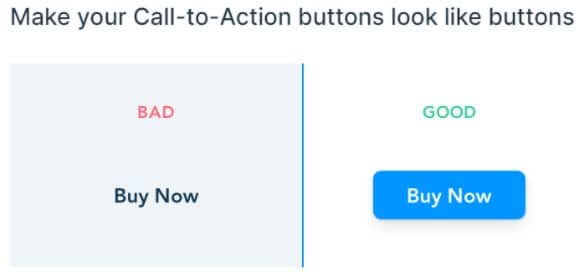
CTAs Design: You want your buttons clicked, not ignored. High contrast, appropriate text sizing, and consistent styling ensure that your Call to Actions convert effectively.
2. Web Copy Checklist
Are you undervaluing your website content? It is as important, if not more important, than the design itself.
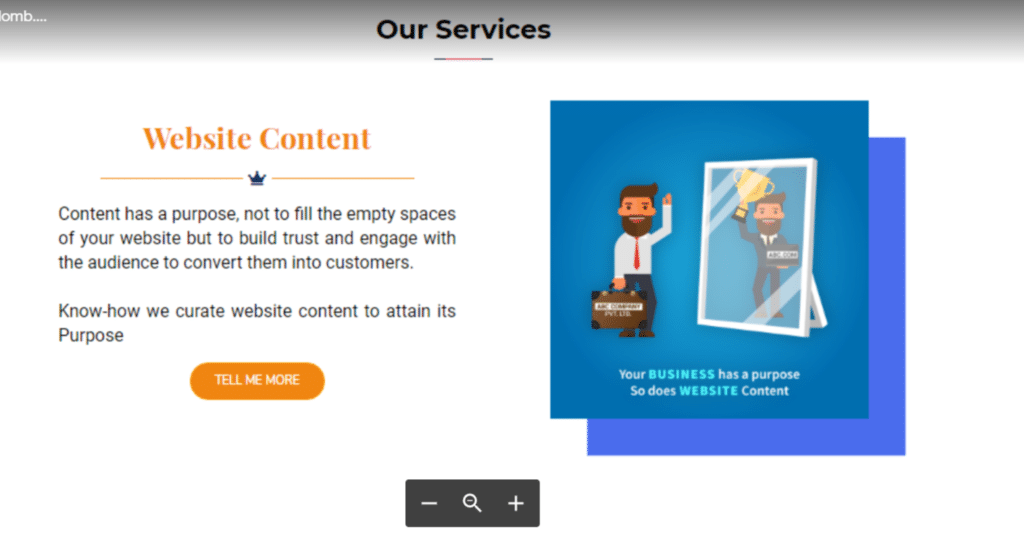
CTAs Text: “Read More” is boring and overused. Make CTA text actionable and interesting. Instead of “Download Now,” try “Give me my FREE Guide.”
Web Copy Audit: Website content should be creative, unique, and directly relevant to the page’s purpose. Ensure it highlights benefits, proves results, and establishes strong E-E-A-T (Experience, Expertise, Authoritativeness, and Trustworthiness). Don’t just talk about yourself.
Answering Pain Points: Your audience is looking for answers. Create a list of pain points and ensure your web content clearly resolves them.
Educate, Nurture & then Convert: Information online is humongous, and not every user is ready to buy immediately. Target the ‘Awareness Stage’ by educating your audience. This increases dwell time, a critical metric for ranking higher.

Forgetting Keywords is a Sin: Google ranks sites based on intent. Proper research reveals the high-intent keywords your target audience is actually searching for. Ensure these are woven naturally into the text.
Copywriting vs. Blog Writing: Main website pages are not the place for 2,000-word essays. Keep the content crisp, short, and highly persuasive.
Aesthetics create the vital first impression, but it is the precise alignment of technical SEO, secure infrastructure, and pain-point-driven copy that actually converts. A comprehensive launch checklist ensures no crucial growth driver is left to chance

Founder Vivek Mishra
aka Branding Maniac
3. Web SEO Checklist
Before designing or developing, an SEO strategy is mandatory to prevent your site from becoming just another dead page on the internet.
Keyword Strategy: Finding high-intent keywords and mapping them to specific web pages is the only way to make your website effective.
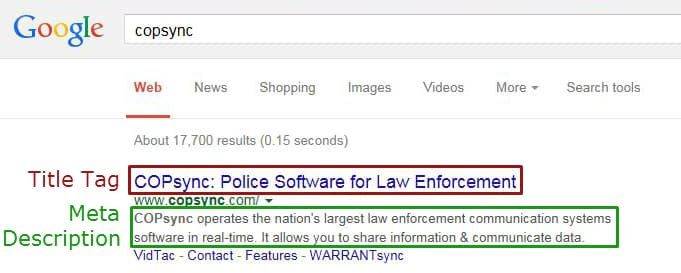
Meta Title & Meta Description: Every page needs a unique Meta Title (max 55 characters) and Meta Description (max 120 characters). This boosts search rankings and click-through rates.
H1 & H2 Tags: As a crucial part of on-page SEO, these tags tell search engine bots the exact context of the page. Structure them logically.
Schema Markup: Front-end HTML doesn’t fully explain context. Schema Markup helps traditional search engines and modern AI generative engines understand exactly what your content means, enhancing your site’s visibility.
URL is the Gold: Ensure URLs (permalinks) are clean and include your primary keyword.
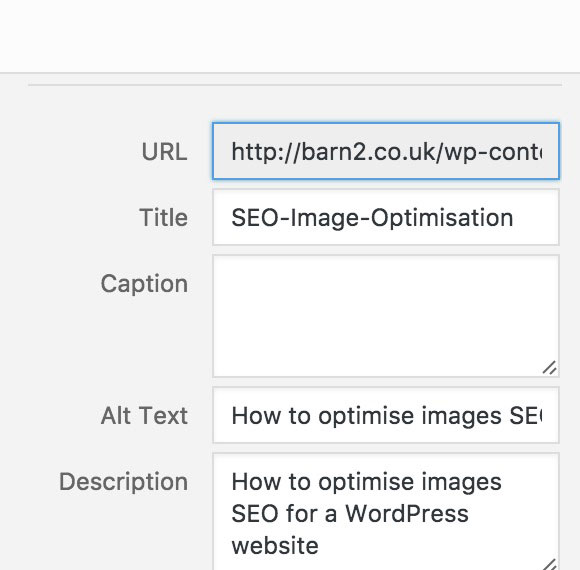
Image SEO: Search bots cannot “read” images. Use descriptive Alt Tags containing relevant keywords to optimize for image search rankings.
Set Up Google Search Console: This is where you submit your XML sitemap, ensuring Google properly crawls and indexes your structural hierarchy.
4. Web Security Checklist
SSL Certificate: Always secure your site with an SSL certificate. This changes your URL from HTTP to HTTPS, securing data on browsers like Chrome, Safari, and Firefox.
Back Up Your Website: Brute-force cyber-attacks happen. Always maintain an automated backup schedule for the latest version of your website.
DoS Attacks: Sudden traffic drops without an algorithm update could mean a Denial of Service attack. Monitor server health to ensure genuine traffic is never denied access.
Measure What Actually Moves Traffic (Bonus Features)
Once the core elements are set, you need to track user behavior to guarantee long-term performance.
Hotjar Installation: Creates heat maps based on visitor interaction, showing you exactly where users click and spend time.
Google Analytics: A must-have to track users globally. Monitor ‘events’ or ‘user actions’ like adding products to a cart to measure true conversion rates.
Error Pages: If users type the wrong URL, ensure your custom 404 Error page is ready to guide them back to your main content seamlessly.
90% of websites fail to convert because they launch without a proper audit. Don’t let your business become a statistic. Download our 29-point technical and SEO framework to find where your site might be leaking organic traffic.
Download the Conversion Audit Template to find where your existing posts are leaking pipeline.
It’s time for the free tools for website launch check.
- Licensed Images for your website –
a) Freepik
b) Unsplash - Image Compression Tool – High Compress
- Responsiveness Checker – Check Responsiveness
- Keywords Research Tool – Keywords
- Meta Title & Meta Description – Yoast SEO Tool
- H1 Tag Checker Tool – H1 Checker
- Markup Schema Guide – Google Guide
- URL generator – Slugify
- Google Search Console – Log In
- XML Sitemap Generator – Sitemap Generation
- Loading Time Check – PageSpeed
- Get SSL – NameCheap
- Free Hotjar – Sign Up
- Google Analytics – Log In
- Broken Links Checker – Check Now